
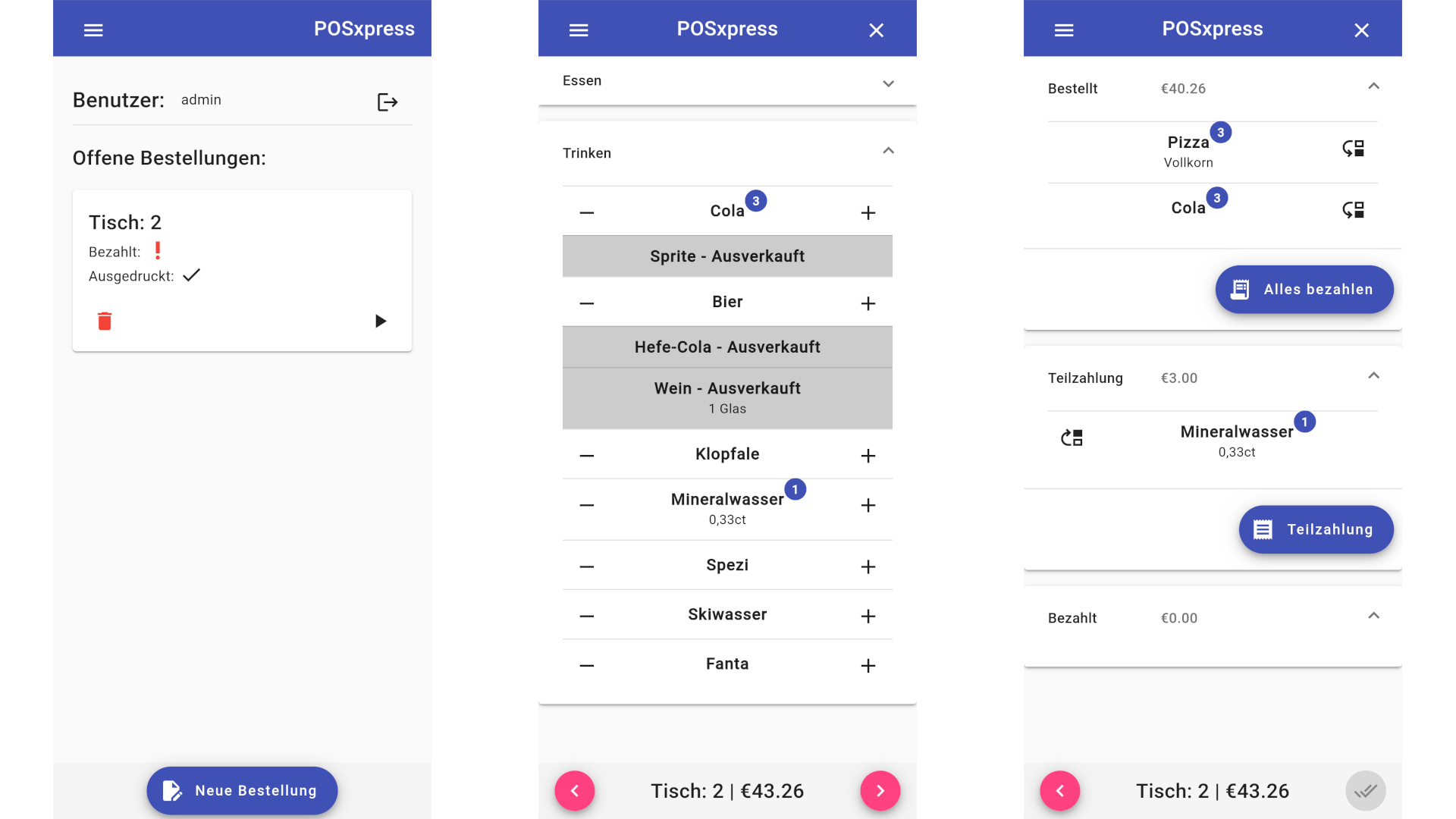
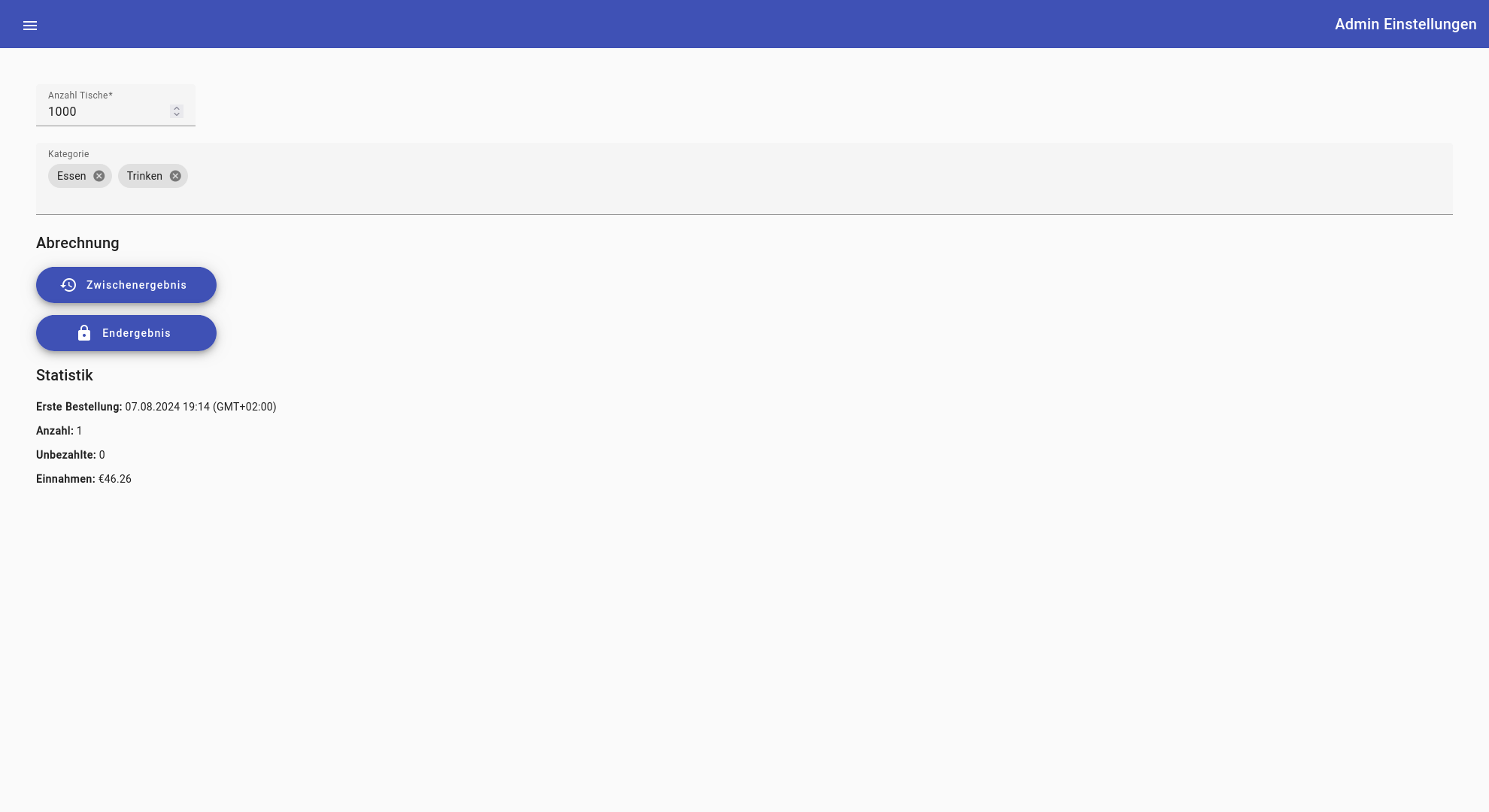
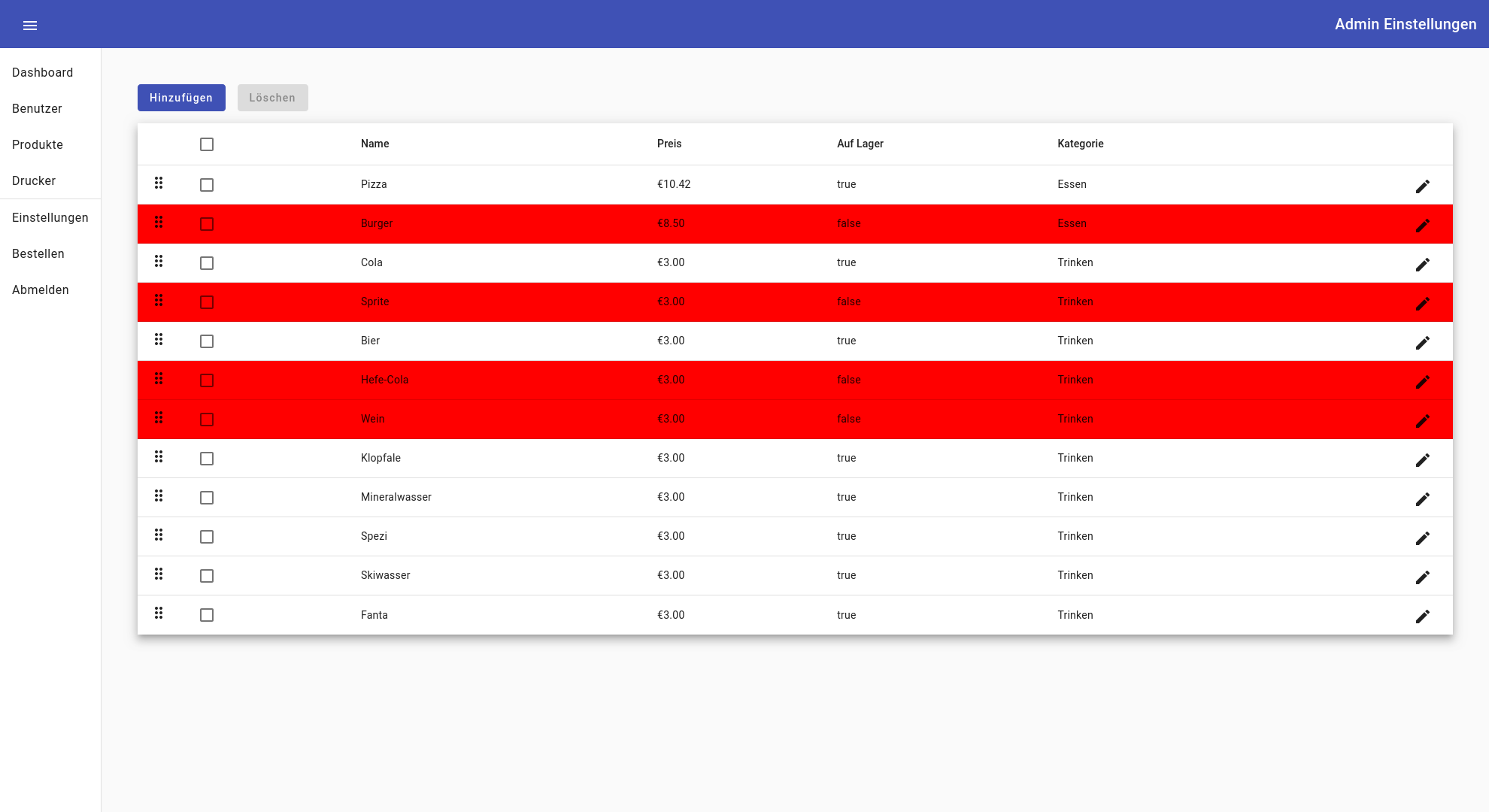
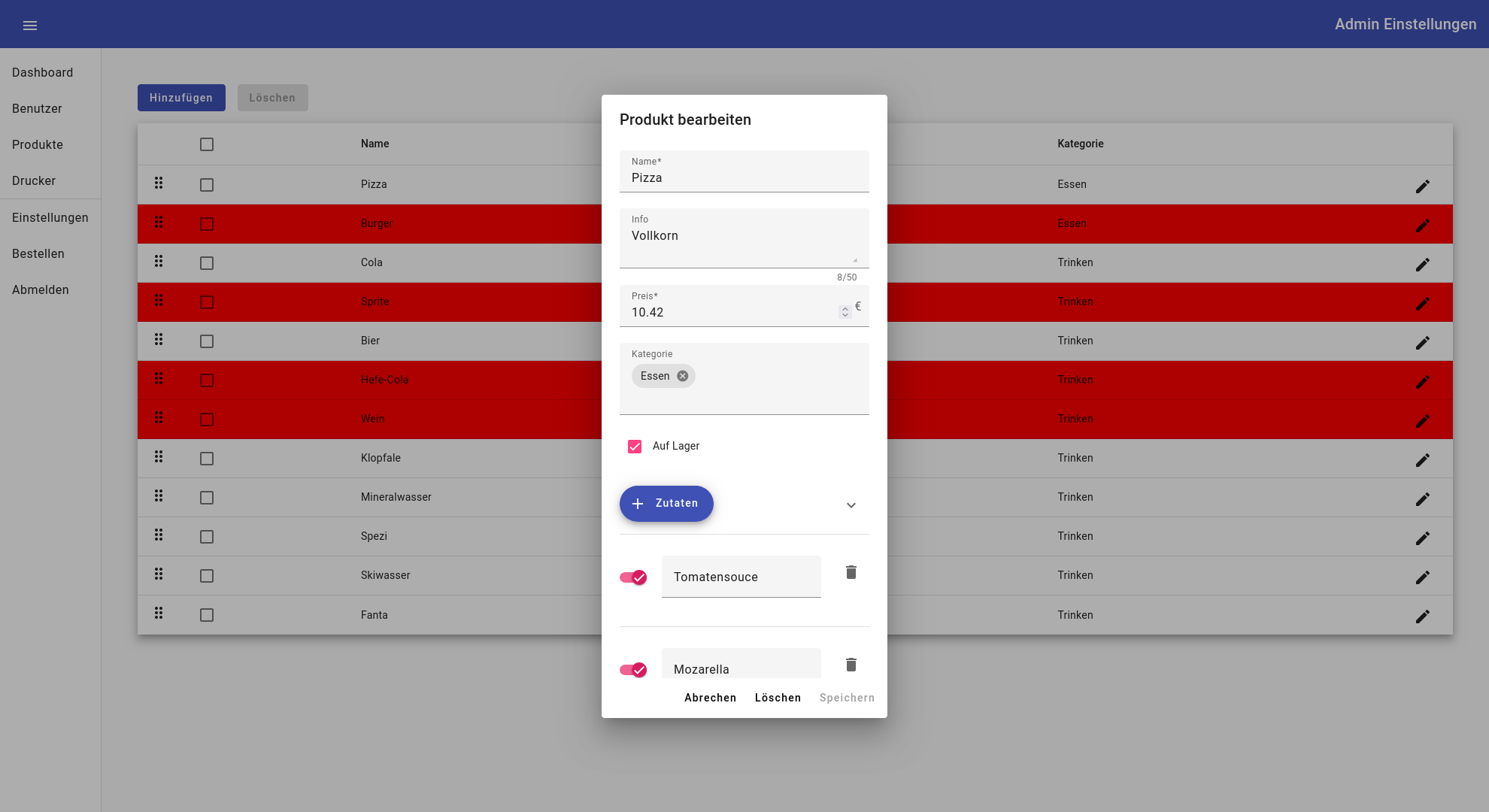
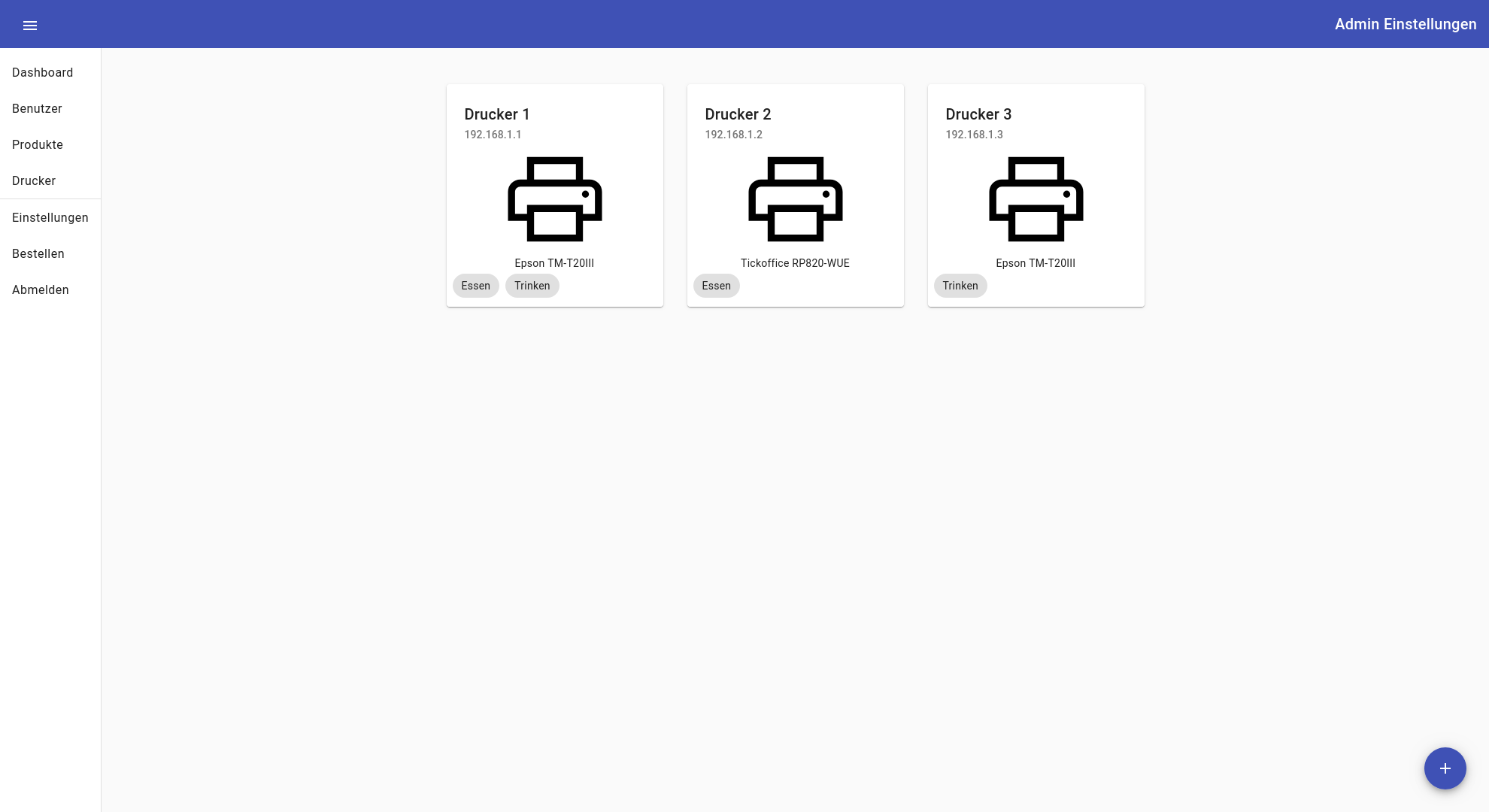
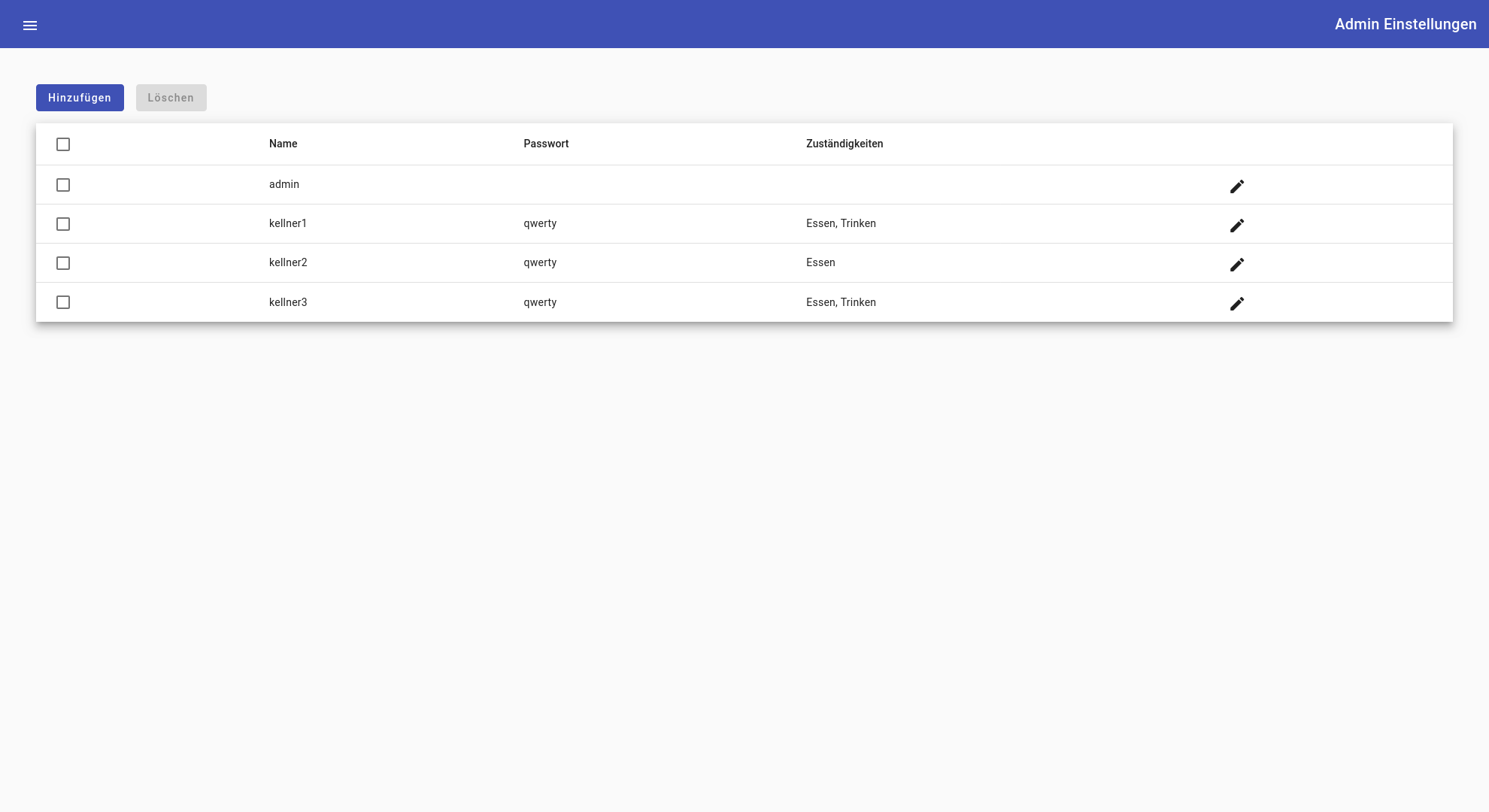
POSxpress is a dynamic solution built with Angular, NestJS, and Node.js, tailored for clubs gearing up to host lively events and festivals. Simplifying the process of managing food orders, POSxpress is your go-to platform for seamless order processing.
As an admin, take control of your offerings by effortlessly adding products and specifying ingredients that can be added or removed. Assign prices to your items and configure thermal printers with custom tags, ensuring efficient order management. For instance, you can designate printers to handle specific categories like food or drinks, streamlining kitchen operations.
For waitstaff, POSxpress provides a user-friendly interface to swiftly navigate tables, take orders, and make modifications such as removing ingredients or adding notes. With the ability to adjust order quantities quickly, waiters can provide efficient service while keeping track of the total price. Payment options allow for flexibility, whether customers choose to settle bills separately or collectively.
Upon payment confirmation, orders are promptly dispatched to designated printers, allowing chefs to commence food preparation without delay. POSxpress ensures a seamless flow from order placement to fulfillment, enhancing the efficiency of your event operations.
NOTE for demo:
- Username: admin
- Password: admin
- Language: german
- Reset: every 2h
I can't showcase the printing since the request is normally sent to a real thermal printer without many interaction.
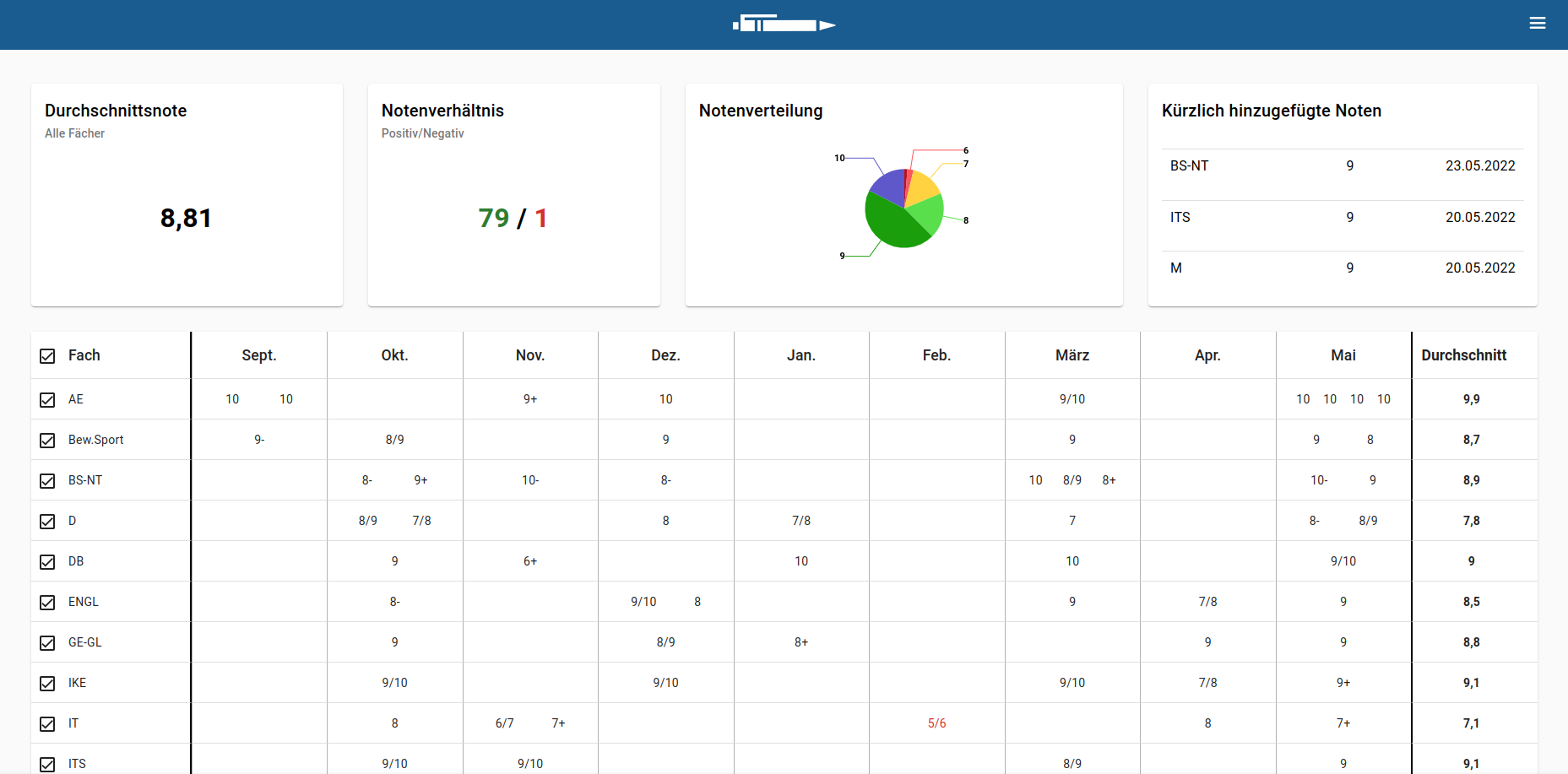
Explore ClassMate, an Angular project crafted to enhance your academic experience. Leveraging the WebUntis® API, ClassMate offers insightful tools to monitor your grades effortlessly.
Discover your grade averages across subjects or customize your view to focus on specific disciplines. Visualize your academic performance through pie charts, gaining a clear understanding of your progress.
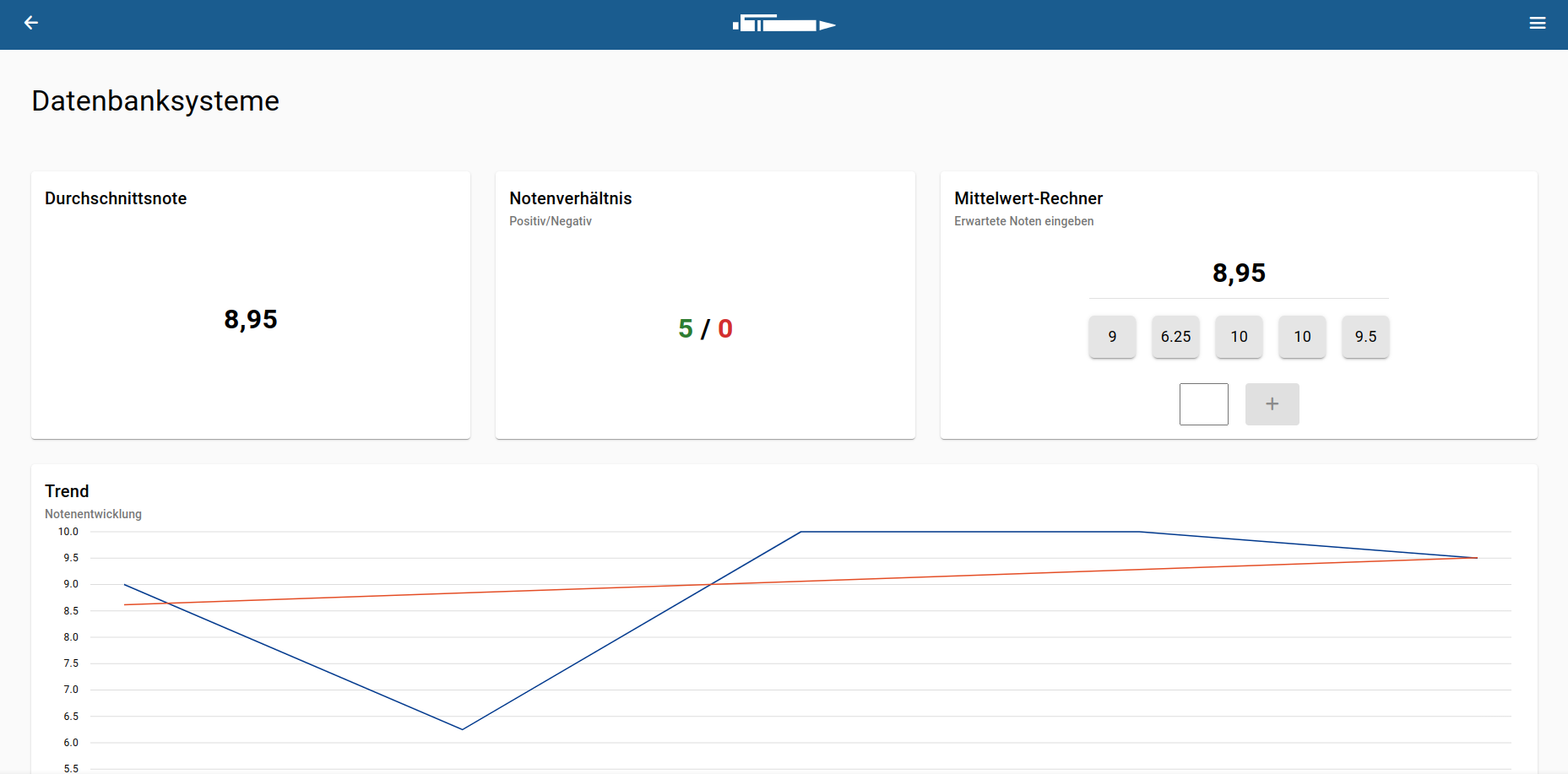
Dive into detailed subject analysis with interactive line charts and trend lines, empowering you to identify patterns and areas for growth.
ClassMate also offers a practical average calculator, enabling you to forecast your overall grades based on expected outcomes.
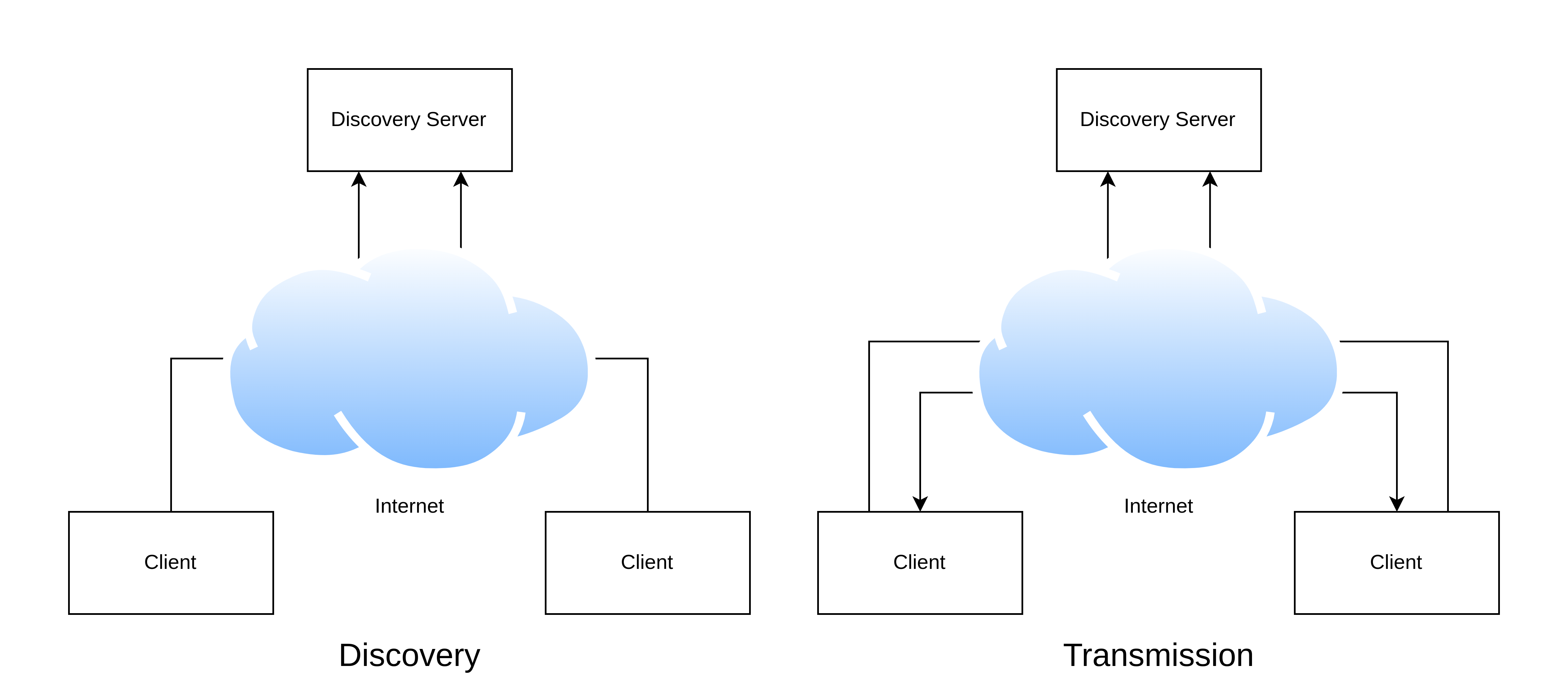
Welcome to YARD - Yet Another Remote Desktop. This project is a labor of love, born from a deep interest in networking and a desire to understand it at its core. Developed in Python, YARD utilizes raw TCP and UDP protocols, providing an opportunity to explore the intricacies of network communication firsthand.
The protocol implemented in YARD is entirely self-crafted, serving as a valuable learning experience in designing and implementing communication protocols. While not all communication within YARD is encrypted, security remains a priority, with TLS encryption employed for sensitive data exchanges.
YARD offers a unique feature allowing connections through a discovery server, enabling users to connect without requiring an IP address. Utilizing generated client IDs and passwords, users can securely connect to other clients, enhancing accessibility and ease of use.
The user interface of YARD is built using TKinter, offering a straightforward experience for users to interact with. From screen capturing to transmitting mouse and keyboard inputs, YARD provides a comprehensive solution for remote desktop access.
One of the notable aspects of YARD is its cross-platform compatibility. Whether you're using Windows or Linux, YARD bridges the gap, enabling seamless remote desktop connections across different operating systems.
Moreover, YARD incorporates NAT traversal techniques, including UDP hole punching, to overcome network obstacles and ensure reliable communication in diverse networking environments.
YARD is not just another remote desktop solution; it's a journey into the world of networking and protocol design. Join us in exploring the depths of network communication with YARD.
Step into my self-built home server, where innovation meets reliability. This server isn't just a piece of hardware; it's a testament to the endless possibilities of DIY technology.
Equipped with RAID for data redundancy and reliability, this server ensures that your data remains safe and accessible at all times. But the magic doesn't stop there. With an automatic Rocky Linux installation using a kickstart file, setting up and configuring the server is a breeze.
To streamline management and configuration, Ansible takes the reins, automating tasks and ensuring consistency across the board. From initial setup to ongoing maintenance, Ansible simplifies server management, freeing up time for more important endeavors.
But what truly sets this server apart is its role as a playground for innovation. With Podman at its core, this server hosts a myriad of containers, each serving a unique purpose. From Nextcloud for seamless file synchronization to various other services, this server is a hub of productivity and collaboration.
But that's not all. This server is also a testing ground for cutting-edge technologies. Kubernetes, tested using Minikube and ArgoCD, offers insights into the future of container orchestration and deployment.
And the journey doesn't end here. Planned projects include the setup of a Mastodon server for social networking, a Matrix server for decentralized communication, an email server for personalized communication, and a Wireguard VPN for secure remote access.
Welcome to my homepage schlaumra.com, where every pixel tells a story. Crafted with Grav CMS, HTML, SCSS, and JS, this digital space is a reflection of my journey and passions. From brainstorming to coding, every step of creating this front page was a labor of love. Grav CMS empowered me to shape my online presence with ease and flexibility, ensuring that my personality shines through every element. Dive in and explore the culmination of my creativity and dedication.
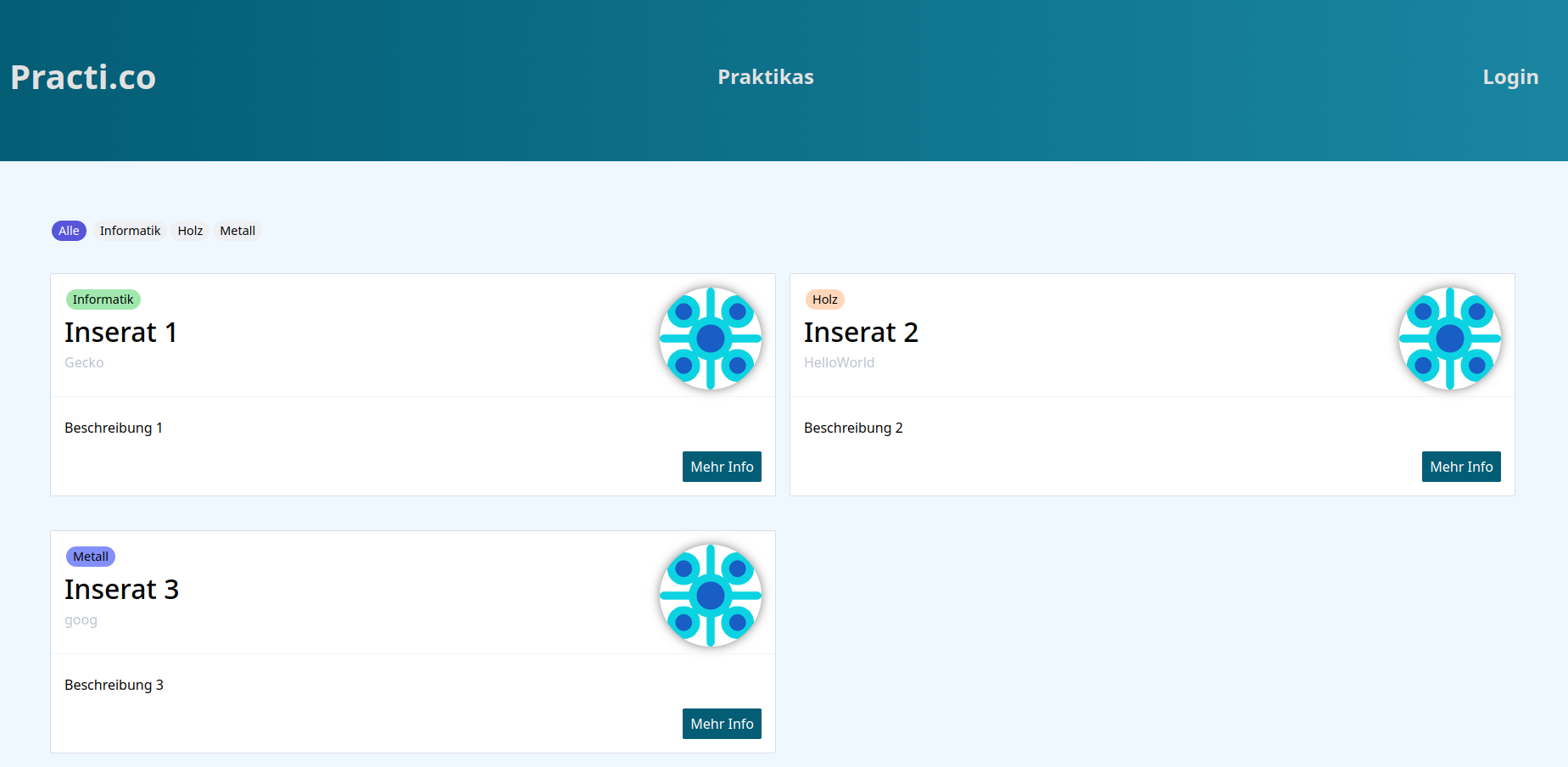
Welcome to our school project, an internship portal where we delve into the world of web development. Powered by PHP, MySQL, HTML, CSS, and JS, this platform is our collective endeavor to learn and create. Companies can insert internship positions while students like us practice searching and applying. With PHP handling the backend and MySQL storing data, we're immersing ourselves in the world of databases and dynamic web content. HTML, CSS, and JS add flair to the user interface, making this project both educational and enjoyable.
Meet my personalized Arch Linux installation script. Using Python and Ansible, it automates the entire setup process, from partitioning to package installation. It installs all needed programs and applies my desired configurations, ensuring a seamless transition to my daily driver.
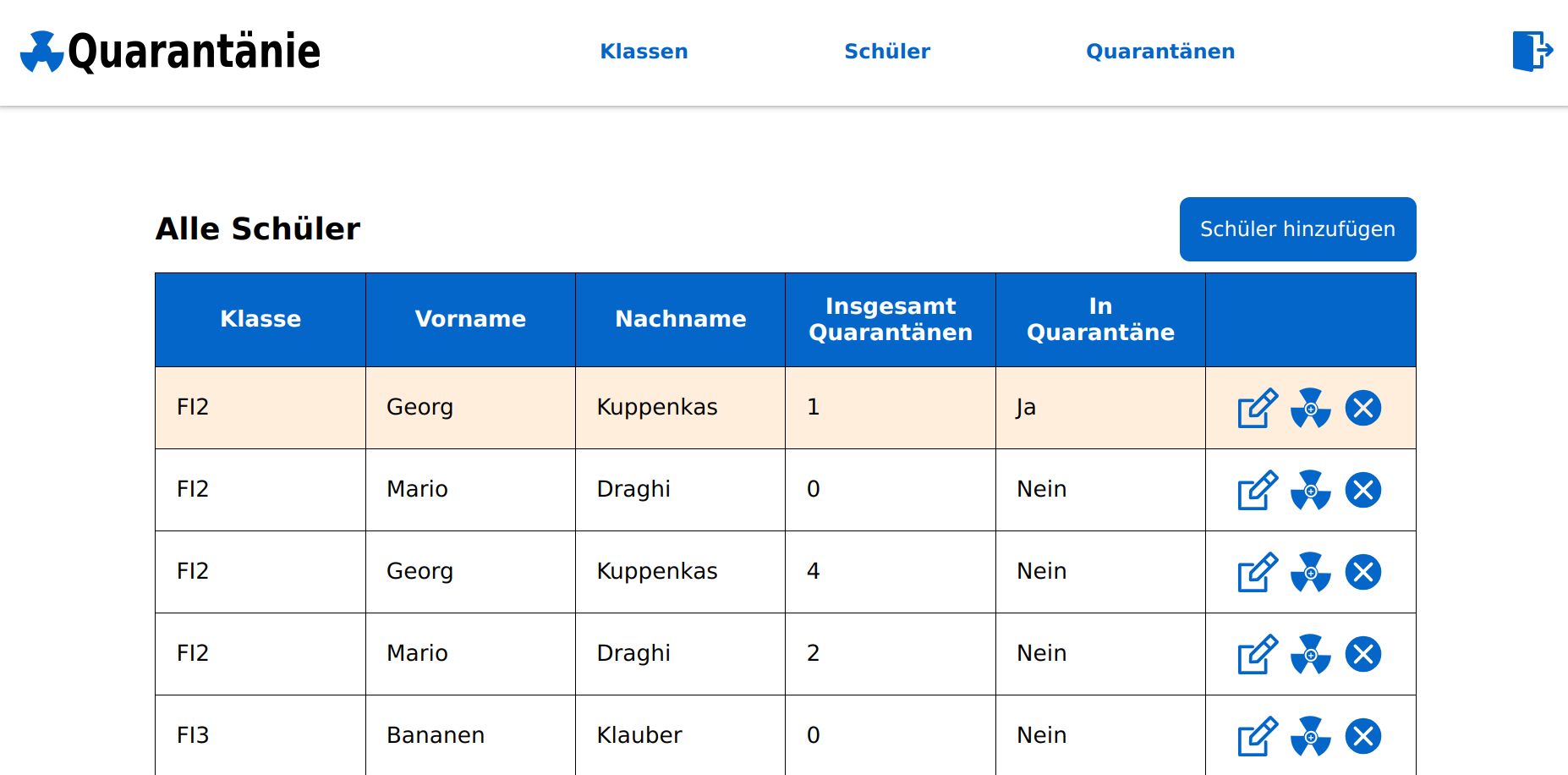
Introducing Quarantänie, a fictional school project designed during the COVID era. Utilizing PHP, MySQL, HTML, CSS, and JS, it envisions a system for tracking student quarantine periods. This fictional concept illustrates how technology could assist school management in monitoring and managing student quarantines during pandemics.
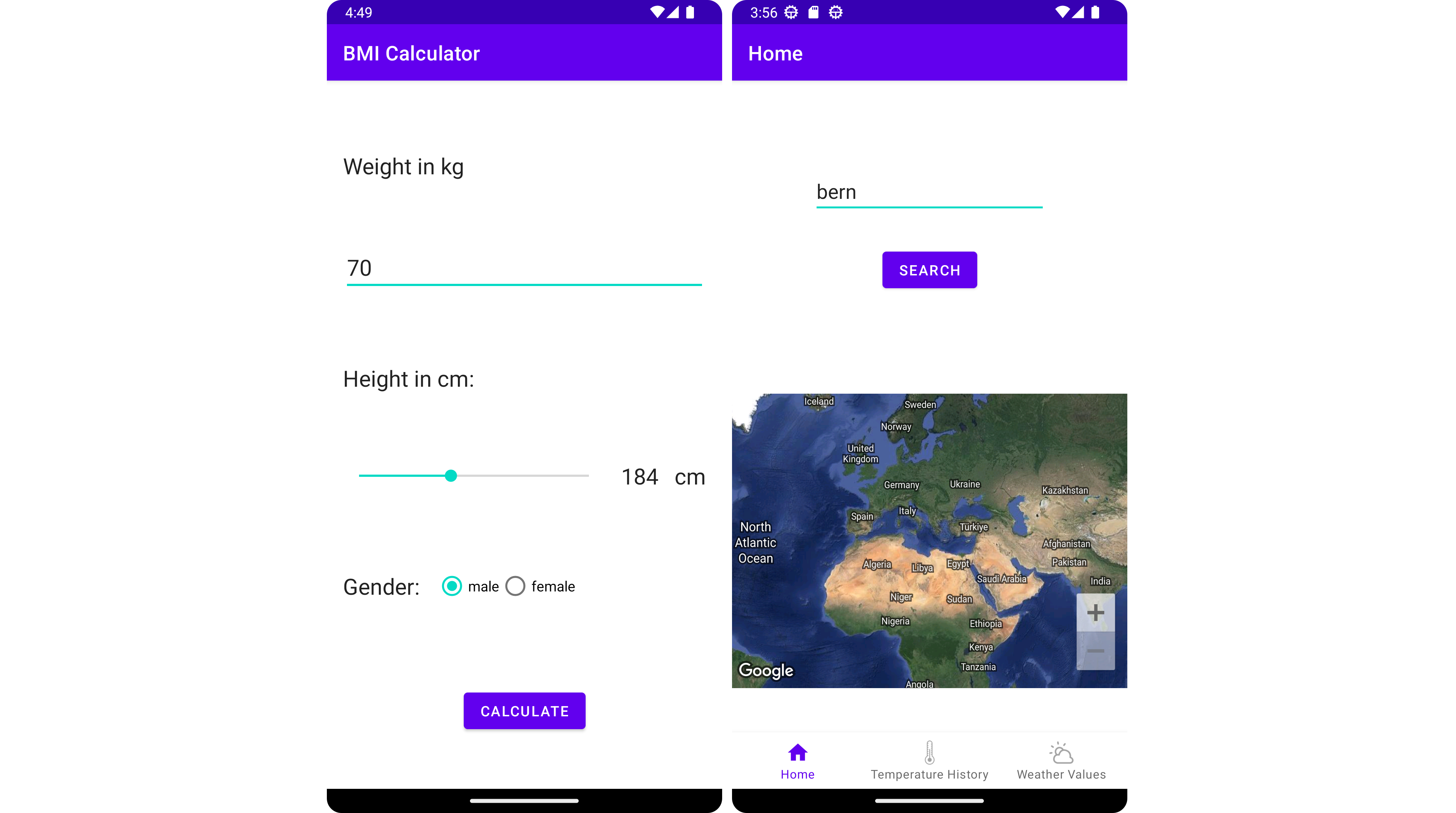
Explore a collection of Android applications by me, leveraging Kotlin's power:
- Birthday App: Seamlessly set reminders for special occasions.
- Business Card App: Create and share digital cards with elegance.
- Weather App with Google Maps and OpenWeatherMap Integration: Select your location effortlessly and access real-time weather updates with precision. Utilize data from OpenWeatherMap for accurate forecasts and detailed weather insights.
- Many more
My journey in C# programming has been a dynamic exploration:
- Building Blocks: I started with the basics, immersing myself in object-oriented programming (OOP) concepts through practical projects.
- Desktop Adventures: I ventured into desktop application development with WPF, where I learned to create polished interfaces that combined functionality with aesthetic appeal.
- Brief Web Excursion: While my focus was primarily on desktop applications, I briefly explored web development with ASP.NET, gaining insights into its capabilities and potential. Later I discovered Blazor and watched shortly into it.
